3 BOM Mistakes That 90% of Factories Have Made

Many factory owners often ask the same questions:

Why does the workshop keep reporting material shortages when the warehouse shows enough stock?

Why is the same product profitable this month but losing money next month?

Why are production data still inconsistent even after implementing an ERP system?

In many cases, the root cause is not purchasing, nor workshop execution. It starts from the most basic yet most overlooked data source: the BOM (Bill of Materials).

Many companies treat BOM as just a material list. In reality, it is more like the construction blueprint of factory production.

Once this blueprint is wrong, purchasing, material issuing, production, warehousing, and cost accounting will all be affected.

Today, let’s go through three typical BOM mistakes that 90% of factories have experienced, using real manufacturing scenarios.

Mistake 1: BOM Is Never Updated and Production Relies on Experience

This is the most common issue.

Many factories create the BOM during the prototype or sample stage. After mass production starts, the process keeps evolving:

  • Material specifications change
  • Auxiliary material brands are replaced
  • Packaging thickness is adjusted
  • Actual scrap or loss rates increase

But the BOM itself is never updated.

As a result, purchasing still buys materials based on the old BOM, while the workshop produces according to the new process.

This leads to common problems such as:

  • Some auxiliary materials are always short
  • Some packaging materials keep piling up
  • Actual costs never match theoretical costs

A label printing factory once faced exactly this problem.

Originally, one roll of material was expected to produce 10,000 labels. After equipment and process optimization, the stable output dropped to around 9,200 pieces, but the scrap rate in the BOM was never adjusted.

As a result, sales quotations remained too low, and the more orders they received, the more money they lost.

The final review showed that the issue was not production waste. The theoretical BOM data had simply become outdated.

Many factories are not bad at production. They are just making decisions based on expired BOM data.

Mistake 2: Semi-Finished BOM Levels Are Poorly Structured

The second very typical problem is a confusing BOM hierarchy.

For example, the normal production flow for a packaging box may look like this:

  • Base paper
  • Printed semi-finished product
  • Laminated semi-finished product
  • Die-cut semi-finished product
  • Final packed product

However, many factories put all materials directly under the finished product level just to save time.

This may look convenient in the short term, but it creates serious long-term problems.

The three biggest impacts are:

First, workshops cannot issue materials accurately by process step
Second, semi-finished inventory cannot be tracked
Third, process losses cannot be analyzed separately

I once saw a color box printing factory where the lamination workshop constantly reported material shortages, while the warehouse system showed sufficient stock.

The investigation later found that the BOM had no “printed semi-finished” or “laminated semi-finished” levels at all. Everything was directly linked to the final product.

The system could only see total consumption, but it could not identify which process step was causing the issue.

From the owner’s perspective, inventory looked accurate, but profits kept shrinking.

The real issue was not execution. It was poor BOM structural design.

Mistake 3: One BOM Is Used for All Customer Orders

This problem is especially common in customized manufacturing industries, such as:

  • Packaging printing
  • Label printing
  • OEM export manufacturing
  • Creative custom products
  • Digital quick printing

The same product model often has different customer requirements.

For example:

  • Some customers need export packaging
  • Some require instruction manuals
  • Some need QR code labels
  • Some need special moisture-proof materials

If the company only maintains one standard BOM, errors become unavoidable.

Common outcomes include:

  • Missing materials that should have been added
  • Extra materials being issued unnecessarily
  • Customer-specific accessories being forgotten
  • Large costing deviations

A gift box export factory once had domestic and export versions of the same product.

The export version required an English manual and moisture-proof bag, but the system only had one standard BOM.

As a result, the warehouse issued materials according to the domestic version. The missing accessories were only discovered right before shipment, causing full rework and major losses.

In many cases, the problem is not employee carelessness. It is poor BOM version management.

Why Do Many Factories Still Struggle After ERP Implementation?

Many factory owners have a common misunderstanding:

They assume that once ERP is online, production management will automatically become standardized.

In reality, ERP only amplifies existing problems faster.

If the BOM itself is wrong, the system will quickly spread the error into:

  • Purchasing plans
  • Production work orders
  • Warehouse material issuing
  • Cost accounting
  • Financial profit analysis

This leads to a common situation:

The system looks advanced, but the data becomes even more chaotic.

The correct sequence should be:

First fix the BOM, then drive digital transformation.

How Can Factories Avoid These 3 Problems?

Here are three highly practical suggestions for manufacturers.

First, establish a BOM change management process
Whenever materials, processes, or loss rates change, the BOM must be updated immediately.

Second, build multi-level BOM structures
This is especially critical for printing, packaging, and assembly-based factories.

Third, maintain customer-specific BOM versions
Different customers, export standards, and accessory requirements must have separate BOM versions.

Many factories realize during post-analysis that:

Production chaos, inaccurate inventory, and distorted costing are usually not caused by poor execution.

The root cause is often that the BOM was wrong from the very beginning.

So the BOM is not just a basic master data sheet.

It is the starting point of factory profit management.
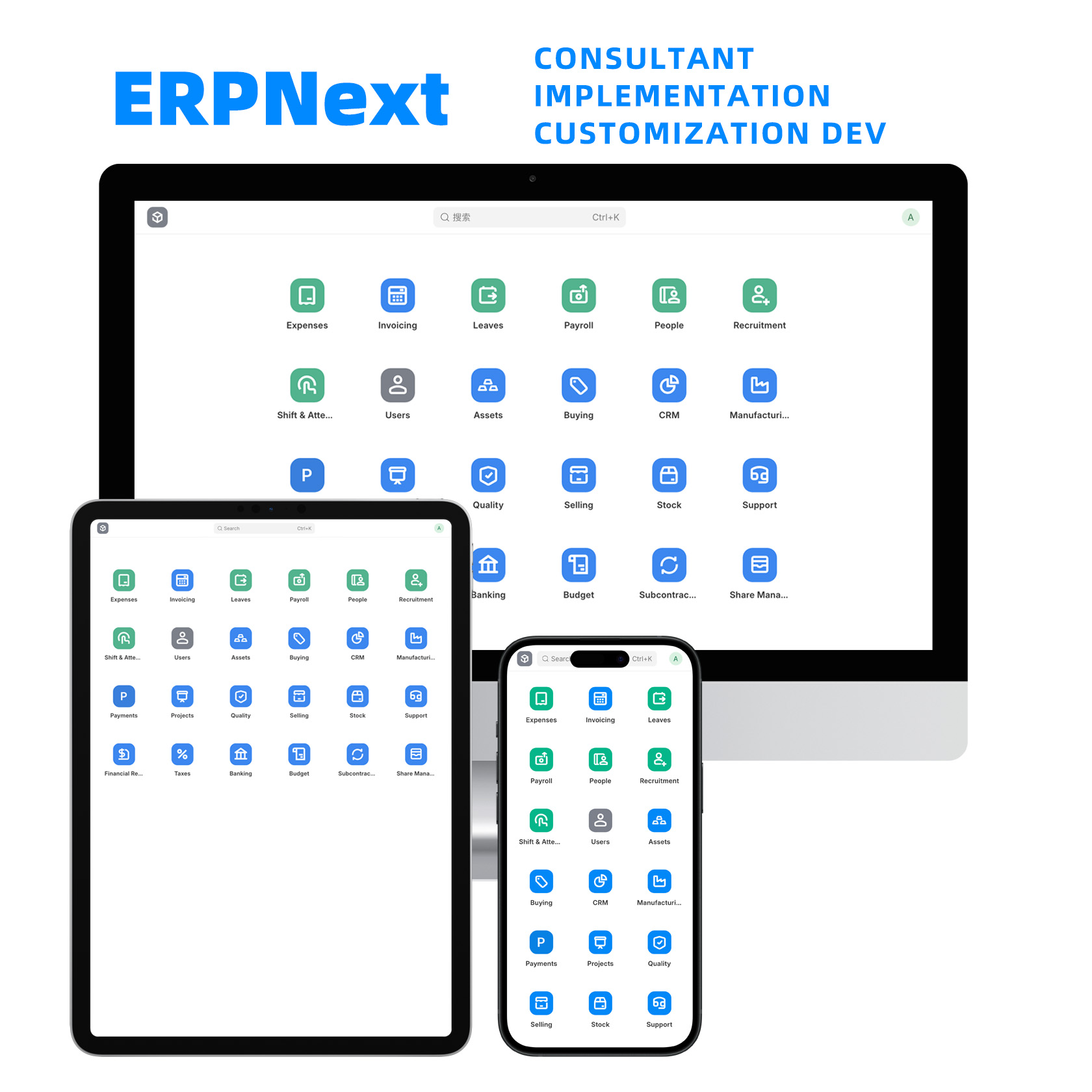
Five Pitfalls Manufacturing Companies Must Avoid When Implementing ERP

Many business owners share the same thought at some point:

“Our company is growing. Maybe it’s time to implement an ERP system.”

So they purchase software, hire an implementation partner, and form a project team. Everything looks professional and well planned.

But in reality, many ERP projects end in one of three outcomes:

The system goes live, but no one uses it.
The system goes live, but the data is unreliable.
The system goes live, but employees continue using Excel.

ERP is not just a software project. It represents a transformation in the way a company manages its operations. If the approach is wrong, companies can easily fall into common traps.

Based on real cases from many enterprises, here are five major pitfalls manufacturing companies often encounter when implementing ERP.

ERPNext-Consultants

Pitfall 1: Unclear Objectives – “Other companies have ERP, so we should have it too”

Many ERP projects start off in the wrong direction.

A packaging company with annual revenue of 300 million decided to implement ERP after the owner heard from friends:

“Once you install ERP, management automatically becomes more standardized.”

The company immediately launched the project.

However, during the kickoff meeting, an awkward question appeared:

What exactly is ERP supposed to solve?

Sales wanted better quotation management.
Production wanted improved scheduling.
Finance wanted cost control.
The warehouse team wanted inventory accuracy.

As more requirements were added, the system became increasingly complex.

After two years, the project was still not fully implemented.

If the objective of an ERP project is unclear from the beginning, the project scope will keep expanding and eventually become uncontrollable.

The correct approach is to focus on solving a few core problems first, such as:

Unreliable delivery dates
Inaccurate inventory data
Disorganized production planning

Start by addressing the most painful problems.

Pitfall 2: Treating ERP as an IT Project

Many companies believe ERP is simply an IT responsibility.

In reality, ERP is a management project.

A machinery manufacturing company once assigned its IT manager to lead the ERP implementation.

During the project, different departments were not very cooperative.

Production said they were too busy.
Warehouse staff said they would handle it later.
Sales said they would enter data in the future.

When the system finally went live, the data was chaotic.

The essence of ERP is to standardize business processes.

For example:

How orders are created
How materials are issued
How production operations are reported
How inventory is managed

These decisions should not be made by IT alone. They are determined by management policies.

If company processes are unclear, even the best ERP system will not work effectively.

Pitfall 3: Implementing the System Before Fixing Processes

Many companies operate with processes that have evolved informally over time.

For example:

Some orders go directly to production.
Some require quotation first.
Some follow special approval procedures.

Often these rules exist only in employees’ minds.

An electronics factory discovered several issues while implementing ERP:

The same product had three different BOM versions.
The warehouse contained many temporary item codes.
Production frequently issued materials first and completed documentation later.

These issues were not addressed before the ERP system was implemented.

After the system went live, the data became even more confusing.

ERP systems tend to amplify existing problems.

If processes are chaotic, the system will simply digitize that chaos.

Pitfall 4: Ignoring Data Preparation

One of the most overlooked parts of ERP projects is data preparation.

This includes:

Item codes
BOM structures
Inventory quantities
Supplier information

A hardware manufacturing company spent only one week preparing its data before ERP implementation.

After the system went live, many problems appeared:

Inventory numbers did not match reality.
BOM structures contained errors.
Cost calculations were inaccurate.

Later the project team discovered the root causes:

Duplicate item codes
Multiple uncontrolled BOM versions
Unverified historical inventory data

ERP systems rely heavily on data accuracy.

If the data is messy, even the best system will fail.

Many successful projects spend several months preparing and cleaning data before implementation.

Pitfall 5: Insufficient Training

After ERP systems go live, a common situation appears:

The system is advanced, but employees continue using Excel.

The reason is simple:

They do not know how to use the system effectively.

An example is a printing company that provided only one training session before going live.

After returning to their daily work, most employees quickly forgot what they had learned.

Soon a strange situation developed:

The system existed, but real work continued outside the system.

Employees preferred their old methods because they were faster and more familiar.

The real success of ERP is not the launch of the system, but whether people actually use it.

Many successful companies arrange:

Role based training
Operation manuals
Post go live support

This ensures employees can truly adopt the system.

The Real Key to ERP Success

ERP is not a software project.

It is a management upgrade.

Successful ERP implementations usually share three characteristics:

The company owner actively supports and drives the project.
Business processes are clarified before system implementation.
Data preparation is taken very seriously.

When implemented properly, ERP becomes the foundation of enterprise management.

If implemented poorly, it becomes an expensive decoration.

Before launching an ERP project, every company should ask one question:

What problem are we really trying to solve?

Manufacturing Digitalization Made Easy: The Seven Core Systems

Many factory owners share the same frustration:

They invested in ERP.
They deployed MES.
Yet production is still chaotic, inventory is inaccurate, and quality issues keep repeating.

ERPNext-Consultants

The real reason is simple:

They bought software — but never built a system.

In mature manufacturing enterprises, these seven platforms work together like the human body:

ERP is the brain
MES is the field commander
WMS is the warehouse manager
SCM is the supply chain coordinator
PLM is the product design center
SCADA is the nervous system
QMS is the quality doctor

Let’s explain each one in plain language.


1. ERP — The Enterprise Brain

ERP manages the big picture.

Orders, purchasing, production planning, inventory, costs, and finance all come together here.

ERP answers three fundamental questions:

What did the customer order?
How much should we produce?
Are we making money or losing it?

Example:

A machinery factory receives an order for 100 machines.
ERP automatically breaks it into material requirements, generates purchase plans, schedules production, and calculates projected costs.

ERP decides direction — not shop-floor details.


2. MES — The Shop Floor Commander

MES manages execution.

ERP says “produce 100 units.”
MES decides:

Which production line goes first
Which machine runs which job
Who operates each process
How far production has progressed

MES collects real-time data on progress, labor hours, and abnormalities.

Example:

In an electronics factory, MES assigns motherboard assembly to Line A and screen installation to Line B.
If a station becomes blocked, the system alerts supervisors immediately.

ERP plans.
MES executes.


3. WMS — The Warehouse Manager

WMS controls materials.

Where items are stored
How much inventory remains
Which location holds finished goods
FIFO logic

Example:

An appliance factory with tens of thousands of parts uses barcode scanning through WMS to locate materials in seconds instead of relying on employee memory.

MES requests materials.
WMS delivers them.


4. SCM — The Supply Chain Coordinator

SCM manages the outside world.

Suppliers
Delivery schedules
Logistics status
Inventory optimization

It prevents factories from being controlled by suppliers.

Example:

When a key electronic component may be delayed, SCM issues early warnings, allowing procurement to activate backup vendors before production stops.


5. PLM — The Product Lifecycle Manager

PLM manages products from birth to retirement.

Drawings
BOMs
Process routes
Engineering change versions

Everything lives in PLM.

Example:

A single bolt specification changes in a automotive parts factory.
PLM synchronizes the update to ERP and MES automatically, preventing production from using outdated drawings.

Without PLM, design and manufacturing never stay aligned.


6. SCADA — The Machine Nervous System

SCADA connects directly to equipment.

It collects:

Temperature
Pressure
Speed
Alarm signals

This is the lowest-level source of real-world data.

Example:

When injection molding temperature exceeds limits, SCADA triggers alarms within seconds and MES halts production to avoid mass defects.

SCADA senses reality.


7. QMS — The Quality Doctor

QMS manages:

Incoming inspection
In-process quality checks
Final product inspection
Nonconformance tracking
Corrective actions

Example:

In a food factory, QMS traces every package back to raw material batches, production lines, and operators.

If problems occur, only affected products are recalled — not entire warehouses.


How the Seven Systems Truly Work Together

A typical order flows like this:

Step 1: PLM defines product structure and process routes
Step 2: ERP generates production and purchasing plans
Step 3: SCM coordinates supplier deliveries
Step 4: WMS manages material storage and feeding
Step 5: MES dispatches work orders to production
Step 6: SCADA collects real-time machine data
Step 7: QMS controls quality throughout

Finished goods enter inventory, while ERP automatically calculates cost and profit.

This is not seven separate systems.

It is one digital production pipeline.


Final Thought

Many companies fail because they:

Buy systems
But never integrate them

True digital transformation is not “installing ERP.”

It is connecting ERP, MES, WMS, SCM, PLM, SCADA, and QMS into one coordinated ecosystem.

When data starts flowing:

Inventory becomes accurate
Delivery becomes predictable
Quality becomes traceable
Management becomes easier

That is real manufacturing digitalization.

From Design to Production to Costing: Understand the Essence and Role of Three BOMs

Why Do We Need Three Different BOMs?

In many companies, people tend to treat the Bill of Materials (BOM) as “just one list”. As a result, when design, production, and cost accounting use the same BOM, they often face problems:

  • The BOM provided by R&D cannot be used directly in production;
  • Even if the production BOM shows all materials are ready, the workshop still experiences shortages;
  • The cost calculated by finance doesn’t match the actual expenses.

These issues often stem from a fundamental reason: using a single BOM as a “universal list”. In reality, at least three types of BOMs are needed across the product lifecycle, each solving key problems for different departments.

ERPNext-Consultants

1. What is a BOM?

BOM (Bill of Materials) is a “material list” that defines the composition of a product. Whether in design, procurement, or production, everyone relies on this list. It not only tells you “what components make up the product and how many are needed”, but also “who uses it, how to use it, and for what purpose”.


2. The Three Types of BOMs and Their Differences

1. Engineering BOM (EBOM) — The Design Blueprint

Target Audience: R&D and design teams
Purpose: Describe what the product should be, from a functional and structural perspective.
Key Features:

  • Lists all design components (parts/assemblies) hierarchically;
  • Focuses on design requirements, specifications, and functions—not production processes;
  • Closely linked to CAD models and drawings.

Example: An engineering BOM for a mechanical pump lists the pump body, bearings, impeller, etc., and their assembly relationships, but does not specify assembly order or manufacturing processes.

Problem it Solves: Ensures clear product design structure, consistent understanding within R&D, and provides a foundation for manufacturing and cost analysis.


2. Manufacturing BOM (MBOM) — Production Execution List

Target Audience: Production, process, and materials control teams
Purpose: Tell the production floor “how to make it”.
Key Features:

  • Based on the engineering BOM but includes manufacturing-specific information;
  • Includes assembly sequence, operations, auxiliary materials (e.g., glue, lubricants), labor hours, and inspection points;
  • Supports ERP/MES systems for production scheduling, material planning (MRP), and work order issuance.

Example: For the same mechanical pump, the manufacturing BOM specifies: machine the pump body first, assemble bearings and impeller next, use sealant and lubricants during assembly, and follow the correct operation sequence.

Problem it Solves: Ensures the production floor can manufacture the product correctly according to process steps, avoiding misinterpretation of the design.


3. Cost BOM (CBOM) — Cost Calculation Model

Target Audience: Finance, cost analysts, pricing teams
Purpose: Calculate product cost and support pricing strategy.
Key Features:

  • Flatten the engineering or manufacturing BOM and assign a cost to each item;
  • Includes direct materials, labor, processing fees, transportation, losses, and overheads;
  • Produces a model used for cost accounting and profit analysis.

Example: The cost BOM for an electronic device includes the prices of the screen, motherboard, etc., plus assembly labor, testing losses, and packaging costs to calculate the total unit cost.

Problem it Solves: Accurately calculates product costs, supports pricing, and prevents cost estimation errors from only looking at material prices.


3. How the Three BOMs Relate in the Process

From Design to Production to Costing

  1. R&D produces the engineering BOM;
  2. Process engineers convert the engineering BOM into the manufacturing BOM (adding operations, sequence, and auxiliary materials);
  3. Finance converts the manufacturing BOM into the cost BOM by adding costs and losses;
  4. The cost BOM is then used for pricing, profit analysis, and decision-making.

4. A Real-World Example

Scenario: A company is producing a smart watch.

  1. Engineering BOM:

    • Lists case, screen, chip, sensors, strap, etc.;
    • Emphasizes functional and hierarchical design (e.g., sensors belong to the chip assembly).
  2. Manufacturing BOM:

    • Based on the engineering BOM, with production steps added:
      • Step 1: Solder PCB;
      • Step 2: Test screen driver;
      • Step 3: Assemble all components;
    • Includes screws, thermal paste, screen protectors, and other auxiliary materials.
  3. Cost BOM:

    • Assigns a cost to each component;
    • Adds labor costs for assembly;
    • Includes testing losses and packaging costs;
    • Produces total product cost for pricing and profit analysis.

This clear division allows R&D to focus on “correct design”, production to focus on “can it be built”, and cost teams to focus on “how much it costs”. Using a single list for all purposes leads to material shortages, assembly errors, or cost miscalculations.


5. Common Misconceptions and Best Practices

  • Misconception 1: One BOM for all departments → causes confusion;
  • Misconception 2: Treating manufacturing BOM as engineering BOM → design changes are not reflected;
  • Misconception 3: Calculating cost directly from engineering BOM → ignores losses, labor, and overhead.

Best Practices:

  1. Clearly separate the three BOM types in PLM/ERP;
  2. Use change management to update manufacturing and cost BOMs when engineering BOM changes;
  3. Assign clear responsibilities and approval workflows for different departments.

6. Summary: What Each BOM Solves

BOM Type Target Audience Core Problem Solved
Engineering BOM R&D/Design Defines product design
Manufacturing BOM Production/Materials Control Defines how to make the product
Cost BOM Finance/Cost Analysis Calculates product cost

Properly managing these three BOMs avoids production and cost disputes, and improves overall efficiency and profitability.

How to Schedule High-Mix, Low-Volume Production in Discrete Manufacturing

High variety, low volume, and short lead times have become the new standard in discrete manufacturing. With a large number of product variants, small batch sizes, complex routing, and frequent rush orders, scheduling easily becomes chaotic. Plans change constantly, execution struggles to follow, and production often feels like nonstop firefighting.

To solve this, we must break production planning into clear layers and connect them through three stable workflow links.

ERPNext-Consultants

1. Why Is Scheduling So Difficult?

High-mix, low-volume production makes traditional experience-based scheduling ineffective:

  • Orders change quickly
  • Many constraints: machines, materials, and workers
  • Plans often do not match real shop-floor execution

The root cause is not “poor scheduling skills,” but an unclear planning system.


2. Four Types of Plans: From Strategy to Execution

A complete scheduling system in discrete manufacturing consists of four layers, each solving a different problem.


1. Strategic Planning

This defines long-term goals, annual capacity layout, and product strategies.
It answers: “What will the company produce in the future?”

It guides:

  • Long-term capacity decisions
  • Product mix strategy
  • Investment direction

2. Master Production Schedule (MPS)

MPS transforms orders and forecasts into overall production quantities and timing.

It answers: “How much do we produce in the upcoming period?”

Its key roles:

  • Convert demand into capacity needs
  • Set the production rhythm
  • Drive procurement and material preparation

3. Material Requirements Planning (MRP)

MRP expands MPS into detailed material requirements:

  • What materials are needed?
  • How many?
  • When must they arrive?

MRP ensures material readiness so production won’t stop due to shortages.


4. Detailed Scheduling

This is the most execution-oriented plan:

  • Which machine works on which order?
  • In what sequence?
  • At what time?

It coordinates production at the shop-floor level and changes most frequently.


3. Three Links: Making Plans Truly Executable

Plans must flow through three interconnected links to work effectively.


1. Order → Production Link

This ensures:

  • Real customer demand drives production
  • MPS and scheduling follow clear priorities
  • Plans match actual delivery requirements

Order changes must flow quickly into planning.


2. Material → Capacity Link

MRP connects material readiness with available production capacity:

  • Are materials ready?
  • Are machines available?
  • Is manpower sufficient?

It identifies bottlenecks early to avoid unrealistic scheduling.


3. Plan → Execution → Feedback Link

Shop-floor variability is constant:

  • Machine breakdowns
  • Worker shortages
  • Longer-than-expected process times
  • Rush orders changing priority

Execution data must continuously feed back to MPS and scheduling, ensuring the plan stays alive and adaptable.


4. Key Practices for Successful Implementation

To make scheduling effective in a high-mix environment:

  1. Use layered planning: Strategy → MPS → MRP → Scheduling
  2. Enable real-time feedback
  3. Ensure material readiness
  4. Make priority rules transparent
  5. Use digital tools to handle complex constraints

Scheduling is not just “calculating orders”—it is organizing the entire workflow.


5. Conclusion

High-mix, low-volume production is not the reason for chaos.
A poor planning system is.

By establishing four levels of planning and connecting them with three workflow links, factories can move from constant firefighting to stable, predictable production.

Why Every Production Site Needs to Understand “Man, Machine, Material, Method, Environment

In production management, the biggest problem is not that issues happen, but that when they happen, no one knows where to start looking.

ERPNext-Consultants

Many factories rely on experience and guesswork: Is it the operator’s fault? Is the machine too old? Is the material bad?

After repeated adjustments, the same problems keep coming back.

In fact, most production problems can be analyzed using a very classic and practical framework: Man, Machine, Material, Method, and Environment.

These five factors cover almost all possible sources of problems on the production floor. They are the common language of shop-floor management, quality analysis, and process improvement.


What Are “Man, Machine, Material, Method, Environment”

In simple terms: Production results = People + Equipment + Materials + Methods + Environment

If results are unstable, the root cause must be hidden in one or more of these five factors.

Let’s explain them one by one in plain language.


Man: Who Is Doing the Work

“Man” refers to everyone involved in production: Operators
Team leaders
Inspectors
Maintenance staff

Common problems include: New employees working without proper training
Experienced workers relying on habits instead of standards
Different people producing different results for the same process

For example: With the same machine and the same materials, different operators produce different dimensions. In most cases, this is not a machine problem, but a consistency problem in human operation.

So the key is not the number of people, but: Are they trained
Are they skilled
Do they follow the standard


Machine: Is the Equipment Stable

“Machine” includes all equipment, tools, fixtures, and production systems.

Common problems include: Declining machine accuracy
Poor maintenance
Parameter drift that goes unnoticed

For example: An unstable temperature on an injection molding machine leads to inconsistent shrinkage.
Excessive clearance in a press results in dimensional deviation.

A machine does not just need to run. It must be: Stable
Controllable
Properly maintained


Material: Are the Inputs Reliable

“Material” refers to raw materials, semi-finished goods, and consumables.

Common problems include: Large differences between material batches
Weak incoming inspection
Materials used directly to meet urgent delivery

For example: High moisture content in plastic pellets can cause bubbles after molding.
Fluctuating paper weight leads to unstable printing colors.

Many quality problems are actually decided at the moment materials enter the factory.


Method: Are the Right Processes Being Followed

“Method” means process design, operating procedures, and standard work instructions.

Common problems include: SOPs exist but are not followed
Parameters are passed verbally instead of documented
Different operators use different methods

For example: The process requires first-article approval, but production starts directly to save time.
No parameter records exist, making root cause analysis impossible.

Without standardized methods, even good machines and skilled people cannot produce stable results.


Environment: Is the Production Environment Suitable

“Environment” includes: Temperature
Humidity
Cleanliness
Lighting
Shop-floor order

Common problems include: High temperatures in summer causing insufficient cooling
High humidity affecting electronic components
Disorganized workplaces leading to mix-ups

Many people underestimate environmental factors, but they are often silent killers. The impact may seem small, but it continuously reduces quality and efficiency.


A Practical Production Case

A factory producing plastic products received customer complaints: Product dimensions were unstable, and rework rates were high.

Using the Man–Machine–Material–Method–Environment framework:

Man: High proportion of new workers, low skill consistency
Machine: Aging temperature control system
Material: New material batches not fully validated
Method: No unified version of process parameters
Environment: High workshop temperature, insufficient cooling

The conclusion was clear: It was not a single issue, but multiple factors out of control at the same time.

Corrective actions were also clear: Improve training
Calibrate machines
Control incoming materials
Standardize processes
Stabilize the environment

The problem was quickly brought under control.


Why This Framework Works So Well

Because it has three advantages:

First, it replaces guesswork with structure
Second, it reduces the risk of missing key factors
Third, it creates a common language for teams

Whether it is a production abnormality, a quality complaint, or low efficiency, reviewing these five factors will immediately narrow down the problem scope.


Final Thoughts

The biggest risk in production management is managing by feeling.

“Man, Machine, Material, Method, Environment” turns feelings into structure and chaos into logic.

Once these five factors are truly understood and applied, production problems stop being mysterious and become manageable, traceable, and solvable.

MES System: Using One QR Code to Connect the Entire Production Management Chain

In many manufacturing companies, production management often faces common problems:
Production progress relies on manual reporting and data is delayed.
Material, process, and quality information is scattered and difficult to trace.
When quality issues occur, it is hard to quickly identify responsibility and root causes.

ERPNext-Consultants

The purpose of an MES system is to solve the problem of “not being able to clearly see or effectively control the production process.” One of the most important and easiest-to-understand tools in MES implementation is the QR code.

A single QR code may look simple, but it can truly connect the entire upstream and downstream of production management.

What Does a QR Code Mean in an MES System?

In an MES system, a QR code is not just a label. It is an entry point for production data.

Each QR code represents a complete production record. It may correspond to a batch of materials, a production order, a semi-finished product, or even a single finished product.

By scanning a QR code, the MES system can do three things:
Identify what the object is.
Record what is happening at the current moment.
Transmit on-site data to the system in real time.

These are exactly the capabilities most needed on the production floor.

How Does One QR Code Run Through the Entire Production Process?

Raw Material Receiving: Giving Materials an Identity from the Start

When raw materials arrive at the factory, the MES system generates QR codes for each batch.
During receiving, scanning the QR code records the supplier, batch number, quantity, and receiving time.

From this moment on, the materials have a clear identity in the system, and every subsequent usage will be tracked.

Production and Processing: Scanning Is Reporting

On the production floor, operators no longer need to fill out paper reports.
By simply scanning a QR code at the workstation, they can:
Confirm which production order is being processed.
Record start and end times.
Associate operators and equipment automatically.

The MES system captures production progress in real time, allowing managers to see shop-floor status directly from their offices.

Process Transfer: No Shouting, No Guessing

When products move from one process to the next, the handover is completed by scanning the QR code.
The system automatically checks whether the process route is followed correctly and prevents missing or skipped steps.

As a result, production flows become clear and standardized, and on-site communication costs are significantly reduced.

Quality Inspection: Problems Become Transparent

During inspection, quality inspectors scan the QR code to record inspection results.
If a defect is found, the MES system can immediately trace:
Which batch of materials was used.
Which machine processed the product.
Which operator performed the work.
Which processes the product passed through.

Quality issues are no longer guessed but identified through data.

Finished Goods Warehousing and Shipping: Full Traceability

Finished products are scanned during warehousing and scanned again during outbound shipping.
The MES system builds a complete history from raw materials to finished goods.

When customers report issues, companies can quickly locate the affected scope instead of investigating the entire production line.

A Real Production Scenario

Before implementing MES, an electronics manufacturing company relied heavily on manual records.
Production progress was confirmed by phone calls.
Quality traceability depended on searching paper documents.
Statistical data was often delayed or inaccurate.

After deploying MES with QR codes, the production floor changed significantly:
Operators started work and reported progress by scanning.
Production status became visible in real time.
Defective products could be traced quickly to specific processes and batches.
Managers no longer had to chase people for data every day.

The company found that QR codes did not add complexity to operations. Instead, they simplified work and made management clearer.

Why Are QR Codes Critical to MES Implementation?

At its core, an MES system aims to collect accurate, real-time, and reliable production data.
QR codes are one of the lowest-cost and most practical ways to connect people, machines, materials, and systems.

They do not require complex hardware.
They are easy for on-site staff to adopt.
They can be scaled quickly across factories.
They deliver visible improvements in production management.

For these reasons, QR codes have become one of the most widely used and effective tools in MES systems.

Conclusion

An MES system does not have to start as a large or complex project.
By starting with a single QR code, companies can gradually connect the entire production management chain.

Scan to record processes.
Upload data in real time.
Trace problems quickly.
Improve management transparency.

When every action on the production floor is accurately captured by the system, true improvement in production management becomes possible.

People, Machines, Materials, Methods, Environment, Measurement Are All in Place

So Why Is Production Still Chaotic?

In production management, many managers face the same puzzle: People are available, equipment looks fine, materials arrive on time, process documents are complete, inspections are being done, and the workshop environment seems acceptable—yet the production floor remains chaotic.

Delivery dates keep slipping, quality issues repeat themselves, and the site is constantly in firefighting mode. This leads many to question whether the “six elements” framework still works.

ERPNext-Consultants
In reality, the problem is not that People, Machines, Materials, Methods, Environment, and Measurement have failed. The real issue is that many companies only achieve “formal completeness,” not “systemic operation.”


A Shared Understanding: The Six Elements Are a System, Not a Checklist

People, Machines, Materials, Methods, Environment, and Measurement are not a checklist for inspection. They are a logical model describing how a production system can run in a stable way.

Many companies think like this: As long as all six elements exist, production should naturally become stable.

But real production is a continuously changing process, not a static combination of conditions. Once any single element fluctuates, disorder quickly spreads through the entire system.


A Typical Production Floor Scenario

Consider a processing company that feels confident during customer audits: Training records are complete, machines have inspection logs, raw materials have inspection reports, process documents are posted on-site, inspection tools are available, and the workshop looks reasonably tidy.

But once production actually starts, problems appear immediately: Different shifts produce inconsistent quality. The same machine has its parameters adjusted slightly every day. When material batches change, defect rates rise. When problems increase, experienced workers step in and rely on personal judgment.

On the surface, all six elements are present. In reality, production is being held together by individual experience.


Three Core Reasons Why Production Remains Chaotic

First, People Are “Present” but Not “Working to Standard”

Many companies believe that as long as workers are assigned, the “People” element is in place. But what truly determines stability is not whether people exist, but whether they work according to a unified standard.

If operating standards exist only in documents and are not strictly enforced or checked, everyone interprets them differently, and results naturally differ. Over time, production degrades into experience-based operation.


Second, Machines Are Running, but Their State Is Uncontrolled

Machines operating every day does not mean they are under control. Many on-site issues are not caused by breakdowns, but by gradual drift in machine conditions.

There is no clear parameter baseline. No monitoring of abnormal trends. No linkage between equipment status, process, and quality.

As a result, machines appear normal, but output becomes increasingly unstable.


Third, The Six Elements Are Managed Separately, Without a Closed Loop

This is the most critical issue.

People are managed by HR. Machines are managed by equipment teams. Materials are managed by purchasing and warehouses. Methods are managed by engineering. Measurement is managed by quality. Environment is managed by administration or site management.

Each element has an owner, but when problems occur, no one can clearly explain how they developed step by step. Issues are resolved through temporary coordination rather than long-term improvement.


The True Purpose of the Six Elements: Identifying Root Causes

A common mistake is using the six elements as “preconditions” rather than as an analytical tool.

Their real value lies here: When production problems arise, they provide a structured way to break down root causes.

For example, when quality issues occur, is the cause: Non-standard operations by people, Unstable machine conditions, Material batch variation, Unreasonable processes, Inaccurate measurement, Or environmental interference?

Only when problems are mapped to specific elements can improvements be targeted effectively.


The Key Shift: From “Elements in Place” to “System Stability”

First, Turn Standards into Executable Behavior

Standards are not just written documents. They must ensure that: Everyone knows exactly what to do. Managers can verify whether it is done. Deviations have clear corrective actions.

Standards without execution are merely decoration.


Second, Use Data to Connect People, Machines, Materials, Methods, Environment, and Measurement

As long as decisions rely on experience, the site will remain chaotic. Only when data links the six elements together does management become transparent.

Are machine states changing? Do parameter adjustments affect quality? Are material batches correlated with defects?

These questions should all be traceable through data.


Third, Build Closed Loops Instead of Temporary Fixes

Mature production management is not about having fewer problems, but about preventing the same problems from recurring. Every abnormality should be recorded, analyzed, corrected, and verified.

When problems are continuously absorbed and resolved, the production floor naturally becomes stable.


Conclusion

People, Machines, Materials, Methods, Environment, and Measurement have not failed. What has failed is treating them as a checklist.

Stable production does not come from having all elements present, but from having a system that truly operates. Only when the six elements are genuinely interconnected can production move from constant firefighting to control and stability.

Production Planning vs Scheduling: What’s the Real Difference? A Clear Explanation for Manufacturers

Manufacturing companies often face this situation:
Orders are received, capacity looks sufficient, materials seem ready… yet production is still delayed, overtime increases, and confusion spreads across the factory.
The core reason is usually this — production planning and scheduling are mixed up.

ERPNext-Consultants

1. What Is Production Planning? — Deciding What, How Much, and When to Produce

Production Planning is the mid-to-long-term strategic direction of a factory.
It answers:

  • What to produce?
  • How many units to produce?
  • What resources are needed?
  • When should the production be completed?
  • Is the available capacity sufficient?

Think of production planning as the “strategic war map” of the company.

💡 Example: A Fan Manufacturer Creates a Quarterly Production Plan

A factory expects 50,000 electric fans to be needed next quarter:

  • Production quantity: 50,000 units
  • Capacity evaluation: 10 production lines, 200 workers, 24-hour shifts
  • Material planning: motors, blades, casings, screws, etc.
  • Overall timeline: about 90 days

This stage doesn’t worry about “which machine works on which day”; it focuses on the overall layout.


2. What Is Production Scheduling? — Detailed Daily, Shift, Machine-Level Execution

Production Scheduling is breaking the production plan into executable details.
It answers:

  • When exactly does production start?
  • Which production line or machine?
  • Which team or operator?
  • What is the daily output?
  • What is the order of processes?
  • When should materials arrive?

Scheduling is the “tactical action plan” that directly guides workers, machines, and teams.

💡 Example: Converting 50,000 Fan Orders into Executable Schedules

Example for Week 1:

  • Monday AM: Lines A & B produce 1,000 motor units
  • Monday PM: Line C stamps 800 support frames
  • Tuesday: Motor units move to assembly
  • Wednesday: Quality check + warehousing
  • Material delayed? → Adjust: Advance assembly, postpone stamping

Scheduling is dynamic and real-time, far more flexible than planning.


3. The Difference in One Sentence

Item Production Planning Production Scheduling
Focus Strategy / Mid-Long Term Execution / Short Term
Time Scale Month / Quarter Day / Shift
Key Tasks Decide quantity, resources, timeline Decide tasks, sequence, machine assignment
Responsible Dept. Planning / Management Workshop / Dispatch / Team Leaders
Change Frequency Relatively stable Changes frequently

One-sentence summary:

Production planning decides “What and how much to produce.”
Scheduling decides “When, where, and by whom each task is executed.”


4. Why Many Factories Run Into Problems? Because Planning ≠ Scheduling

Common issues in factories:

  • Only creating production plans, no scheduling → chaos, overtime
  • Only scheduling without planning → resource shortages, material issues
  • Poor communication → Sales accepts orders, production panics
  • Equipment failure or material delay → scheduling cannot adapt

The consequences:

  • Delivery delays
  • Order chaos, process chaos, shop-floor chaos
  • Frequent overtime, low efficiency
  • Material shortages or excess inventory

5. A Complete Example: How an Order Flows from “Planning” to “Scheduling”

Suppose a company receives an order for 1,000 smart fans.

1) Production Planning (Strategic Direction)

  • Decide whether 1,000 units can be completed on time
  • Identify material requirements
  • Decide if additional capacity is needed
  • Estimate a 45-day production cycle

2) Create MPS (Master Production Schedule)

  • Split into 4 batches of 250 units
  • Each batch estimated: 7 days production + 2 days inspection

3) Production Scheduling (Execution Details)

  • Allocate daily tasks and machines
  • Assign workers/teams
  • Plan material arrival
  • Arrange process order

4) Execution + Real-time Adjustment

  • Material delay? → Re-sequence tasks
  • Machine failure? → Change machine
  • Rush order? → Re-schedule
  • Goal: ensure on-time delivery

5) Delivery + Review

  • Compare plan vs actual
  • Generate data for the next planning cycle

6. Summary

  • Production Planning = Strategic Layout
    Defines “what, how much, and when.”
  • Scheduling = Tactical Execution
    Defines “who does what, when, and with which machine.”

Both are essential.

Understanding the difference helps factories achieve:

  • Less chaos — clear plans
  • Less waiting — smooth scheduling
  • No delays — reliable delivery
  • Less waste — better resource utilization

MES Is More Than Digitalization — Understand Why Manufacturing Workshops Need It in One Read

What is MES?

MES (Manufacturing Execution System) is a digital management system used on manufacturing shop floors. It connects the top-level management/planning system (such as ERP) with the shop floor execution layer, forming a bridge. MES tracks the entire production process in real time, managing and monitoring people, machines, materials, work orders, processes, and quality.

ERPNext-Consultants

In simple terms, if we compare a factory to a large machine:

  • ERP: Tells you “what to produce today, how much, and the delivery time.”
  • MES: Tells you “what is happening on the shop floor now, which workstation is using which machine, where the materials are, and where problems are occurring.”

Six Core Modules of MES

Core Module / Function Description Value / Benefits
Production Scheduling & Resource Allocation Generates schedules and work orders based on orders, materials, equipment, and personnel status Improves scheduling efficiency and responds flexibly to urgent orders
Production Execution Monitoring / Shop Floor Visibility Collects real-time data on work orders, machine status, output, good/bad units Enables real-time monitoring, quickly identifies bottlenecks
Quality Management & Traceability Records each process, batch of materials/parts, and inspection results Allows tracing the root cause of quality issues, ensures product quality
Data Collection & Analysis / KPI / OEE Collects machine, personnel, material, output, downtime data Provides data for decision-making, enables continuous production optimization
Equipment & Maintenance Management Tracks machine status, maintenance history, and maintenance schedule Reduces downtime, ensures stable production
Material / Inventory / Raw Material Management Tracks raw materials, semi-finished products, WIP, and finished goods inventory in real-time Optimizes inventory, reduces waste and shortages

Additionally, MES usually includes Document Management / Work Instructions / Process Management (SOP), allowing operators to view process flows and quality standards, reducing human errors.


The Three Main Lines of MES — Core Logic

  1. From “Experience / Manual” to “Data / System”
    Traditional workshops rely on manual experience + Excel + paper records, which are prone to errors. MES introduces real-time data collection and automation, making shop floor management transparent and standardized.

  2. From “After-the-Fact Feedback” to “Real-Time Control / Quick Response”
    With real-time data, dashboards, alerts, and dynamic scheduling, managers can detect issues early and adjust resources promptly.

  3. From “Isolated Processes” to “Full-Process, End-to-End Management + Traceability”
    MES connects the entire chain: Orders → Production → Equipment → Personnel → Materials → Quality → Inventory / Inbound / Outbound, providing complete production history and traceability.


Practical Case: Discrete Manufacturing / Small-Batch, Multi-Variant Factory

Background
A packaging and label printing factory:

  • Multiple products, small batches, frequent urgent orders
  • Traditional workflow: Order → Production order → Manual scheduling → Dispatch → Completion inspection → Inventory → Shipment

Pain Points

  • Chaotic scheduling, urgent orders disrupt the plan
  • No visibility of shop floor status
  • Material, semi-finished, and WIP inventory are disorganized
  • Quality issues cannot be traced

After Implementing MES

  • System automatically schedules and dispatches work orders
  • Workers scan to report progress and defects in real time
  • Equipment status, personnel, and material consumption monitored in real-time
  • Quality issues can be traced to work order, material batch, machine, and shift
  • Inventory digitalized, reducing waste and optimizing cash flow
  • Scheduling becomes flexible, responding quickly to urgent orders

Results

  • Significantly improved production efficiency
  • Reliable delivery times
  • Reduced quality issues
  • Transparent management
  • Lays the foundation for future ERP/BI/APS system integration

MES + ERP / BI: Future Trends

  • MES bridges ERP ↔ Shop Floor Execution
  • Once MES is stable, it supports BI / Data Analytics / Supply Chain / Smart Manufacturing / IoT
  • For managers, MES is more than software — it’s a standardized, data-driven, traceable, continuously improving management method

Implementation Recommendations for Enterprises

  1. Start with Pain Points: Chaotic scheduling, traceability, material waste, idle resources
  2. Implement Step by Step: Pilot one production line or workshop, then scale
  3. Emphasize Processes + Change Management: MES is a management transformation, requiring training and SOPs
  4. Practical Selection: Choose an MES suitable for your factory’s scale and production characteristics
  5. Reserve Interfaces / Data Structures: Facilitate future ERP/BI/Supply Chain integration

Summary

MES is a critical bridge in modern manufacturing and smart factories, helping enterprises transition from “experience + Excel + paper” to data-driven, visualized, standardized, traceable management. For discrete manufacturing with small batches and multiple product variants, MES significantly improves efficiency, reduces errors, optimizes resources, enhances quality, and lays the foundation for digital upgrades.